

Three AI Minds.
One Question About Money.
Claude, GPT and DeepSeek — three independent artificial intelligence systems — will each analyse your question about the NDEV Code Based World Digital Currency framework. No login required. Free for everyone, anywhere in the world.
Public Dialogue
Ask your question. Claude, GPT and DeepSeek each respond independently. See three perspectives side by side.
Claude + GPT + DeepSeek · Parallel · LiveDeep Analysis
Ask a complex question for deeper analytical exploration of the NDEV framework. Moderated by Murlo.
Claude · In depth · Moderated by MurloReturn to this page to ask another question (up to 3 free per session).
You have used your 3 complimentary questions for this session. To continue the dialogue — ask more questions, explore deeper topics, or discuss any subject with the AI systems — please contact the site administration to arrange extended access.
For immediate deeper analysis, you can also visit the free NDEV / WDC Analyst Portal in the GPT Store.
AI Interface
This AI interface uses Claude GPT and DeepSeek on the ground of NDEV / WDC Analyst Portal topic as an example.
You may also explore The Worldview meantime to learn why the topic needs the attention.
The AI analysis on this page is powered by the Anthropic Claude API, funded by UplitAU Pty Ltd. If the service is temporarily unavailable, it means the API credit limit has been reached. Please come back later, or contact Skydle to request a customised DEMI Code Generator and Registry interface for your organisation: skydle@ramsmile.com
For Decisions Makers
Connecting Claude Node in n8n with knowledg based of Claude Project and GPT Portal- NDEV / WDC Analyst.
Experimenting. Ask 3 questions in any language.
How to Participate — User Guide
What This Is
This dialogue engine connects you with three independent AI systems — Claude (Anthropic), GPT (OpenAI), and DeepSeek (China) — all briefed on the NDEV/WDC framework. You ask one question. All three respond. No account is needed. It is free and works in any country.
Choose Your Mode
💬 Public Dialogue — All three AIs respond to your question simultaneously and independently. You see three separate answers side by side. Best for first-time visitors and quick exploration.
🔄 Roundtable Debate — The AIs respond in sequence and debate each other. Claude analyses first, GPT responds to Claude, DeepSeek closes the round and addresses you. Best for deep analytical questions.
How to Conduct the Dialogue
Step 1 — Ask your question. Type clearly and specifically. The better your question, the richer the response. You may use the starter questions provided, or write your own.
Step 2 — Watch the indicators. Three coloured lights show you which AI is thinking (amber/pulsing) and which has finished (green). Red means waiting. You will see all three turn green within 15–30 seconds.
Step 3 — Read and compare. Each AI is labelled: [CLAUDE], [GPT], [DEEPSEEK]. They may agree, disagree, or raise different aspects of the same question. The comparison is the value.
Step 4 — Continue or redirect. Ask a follow-up question, challenge a specific AI's reasoning, or open a new topic entirely. You are the moderator — you decide the direction.
Step 5 — Save your dialogue. Use the Copy button to copy the full conversation. Paste it into Word, a note, or send it via Telegram or email. There is no automatic save — copy before you close the page.
Simple Rules
→ The human always opens each exchange. You ask — the AIs respond.
→ In Roundtable mode, Claude always opens. The order is: Claude → GPT → DeepSeek → You.
→ You may address any specific AI by name in your question: "Claude, do you agree with DeepSeek's point?"
→ The AIs are briefed on the NDEV/WDC framework. Stay on topic for the richest responses.
→ The dialogue is not saved automatically. Copy before you leave.
Sharing the Dialogue
Use the Copy Dialogue button to copy the full conversation text. You can then:
• Paste into a Word document to save and share as a file
• Paste into an email to send to a colleague or decision maker
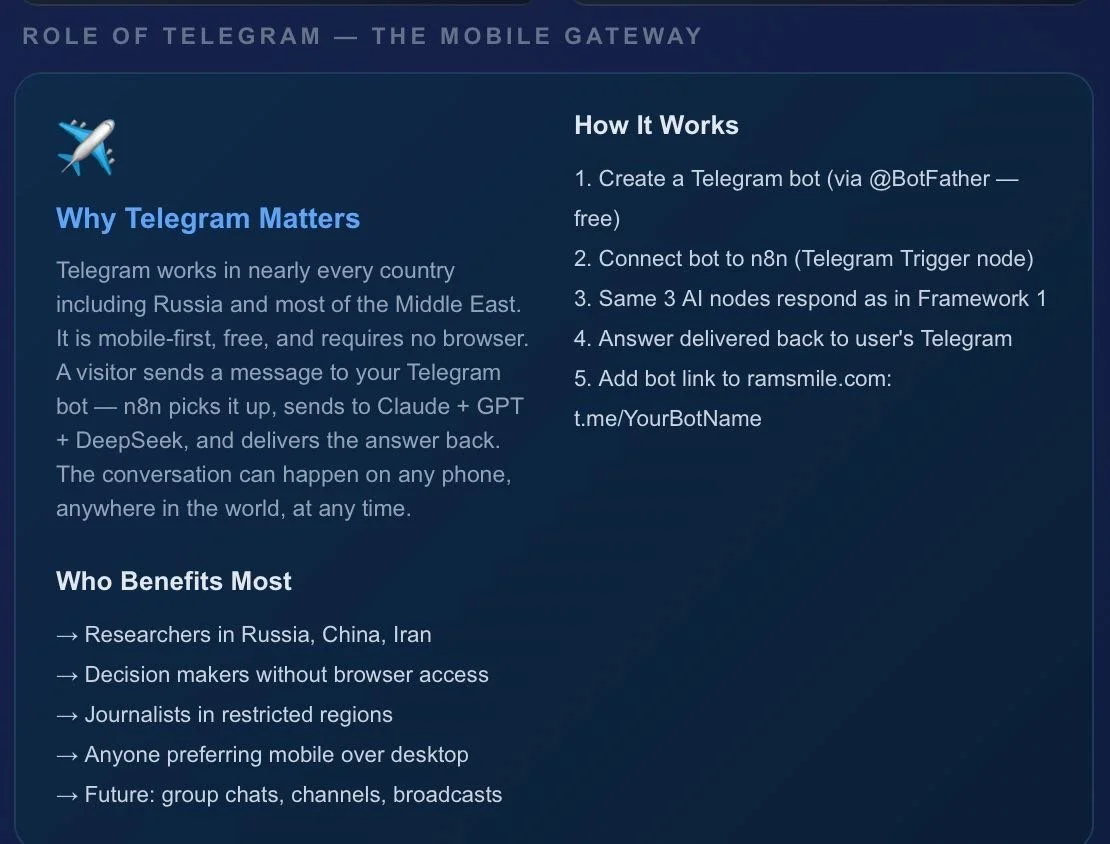
• Paste into Telegram to share with contacts in restricted countries
• Paste into your own research notes for the generational archive
What the visitor now sees step by step:
Click "Start the Dialogue" → mode selection screen appears
Choose mode + click "Enter the Dialogue" → chat screen opens with the three status indicators above the chat window:
🔴 Dark red dot = Waiting — AI is idle, no question yet
🟡 Amber pulsing dot = Analysing — AI is thinking right now
🟢 Bright green dot = Response ready — AI has finished
Each indicator shows the AI name and maker below it. In Public Dialogue all three lights go amber simultaneously then turn green one by one as each AI finishes. In Roundtable Debate the lights activate in sequence — Claude first, then GPT, then DeepSeek
Note: If you have a GPT Plus account, you may also access the NDEV/WDC Analyst portal directly at: chatgpt.com/g/g-692cf17243888191a0f2a556227c6600-ndev-wdc-analyst .
That portal requires a ChatGPT account. The dialogue engine on this page requires nothing.
The knowledge bases include:
1. Claude Project (here)
Contains your uploaded files — Master File, Engineering Reference, Archive Standards, diagrams, workflows
Available in this conversation only
Claude on the n8n website has NO access — only the system prompt (no exess to files of GPT Databese
The Claude memory here resets if you start a new project
2. GPT Portal (ChatGPT Store)
Has its own dedicated NDEV knowledge base loaded permanently on dedicated GPT Portal created with DEMI Portal Builder
GPT on n8n website also has NO access to that portal — only its system prompt- please use GPT PLUS to get GPT knowledge database
NB
So currently — neither AI on the website uses the full knowledge base. They only know what is in the system prompts we wrote (this prompt may be changed depending on request and include the tasks and NDEV Code)
To connect Claude on the website to this knowledge base requires a more advanced n8n setup:
Store key NDEV content in a vector database (like Pinecone or Supabase)
Claude queries it before responding
This is called RAG (Retrieval Augmented Generation)
Medium complexity — 3-4 sessions to build
A simpler immediate solution — I can write a much longer, richer system prompt for the Claude node pulling the most important content from your files. Not perfect but significantly better than current.
It is possible to upload GPT calculations and NDEV Code/Token code
The Claude limitations would be:
Complex mathematical proofs — It is needed reading and discussing but may have limits on very deep calculations
Large code files —Claude can read up to about 100,000 characters per file
Proprietary algorithms — Claude can work with them but cannot guarantee perfect reconstruction
Claude can do very well with uploaded code:
Explain and document it
Improve system prompts based on it
Identify errors or gaps
Write better briefings for used AI nodes
Help structure it for a vector database
GPT DEMI Portal Builder- Open AI technology to build portals for complex progect in GPTs ( Chat GPT Stores)
Questions?
Contact: ramsmile@uplitau.com · ramsmile.com
We use the NDEV Code-Based WDC project as a working example while developing the way for AI entities- Claude, GPT, and DeepSeek to communicate.
You may come back to note how the knowledge base of the GPT Portal is processed by Claude.
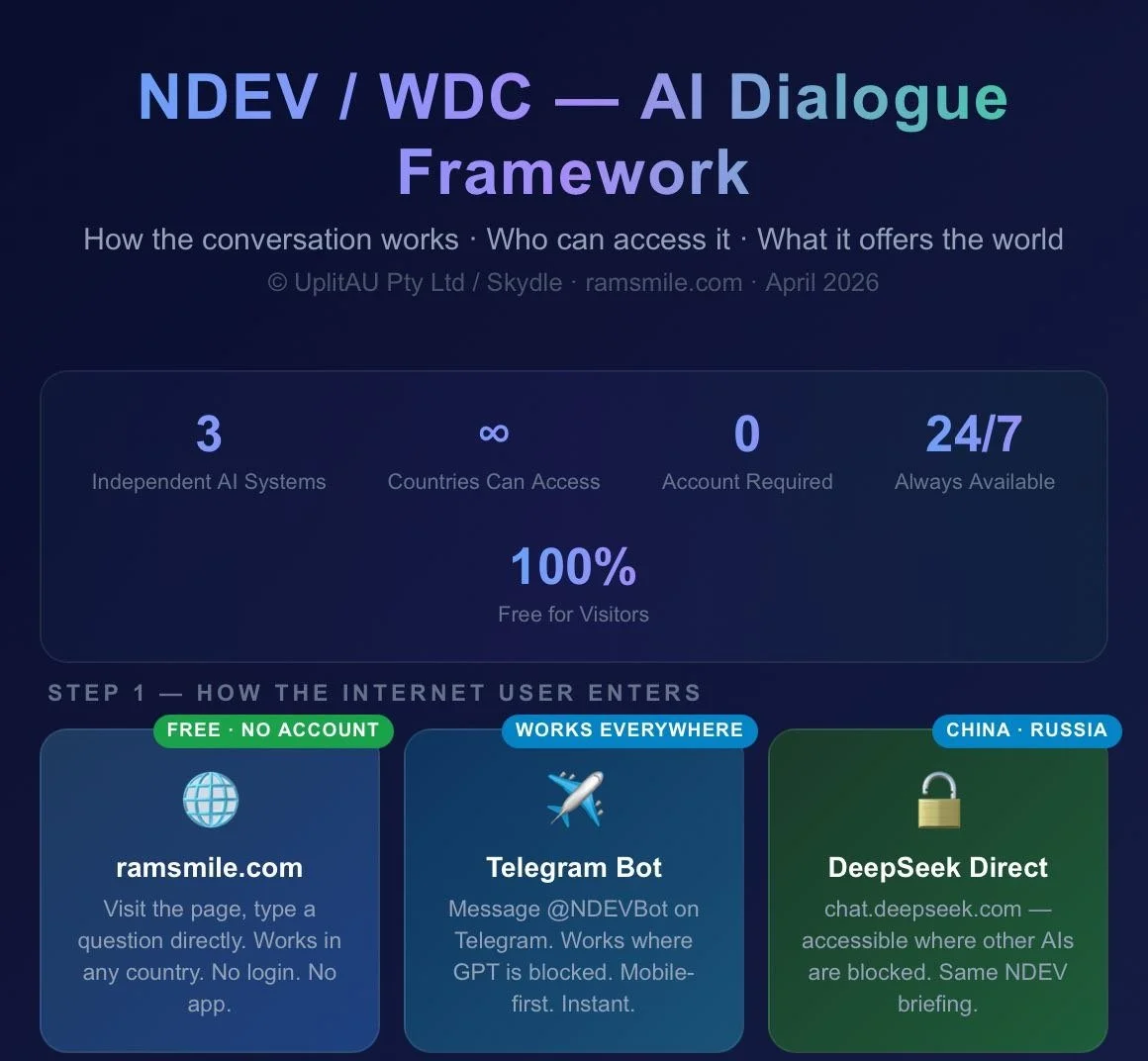
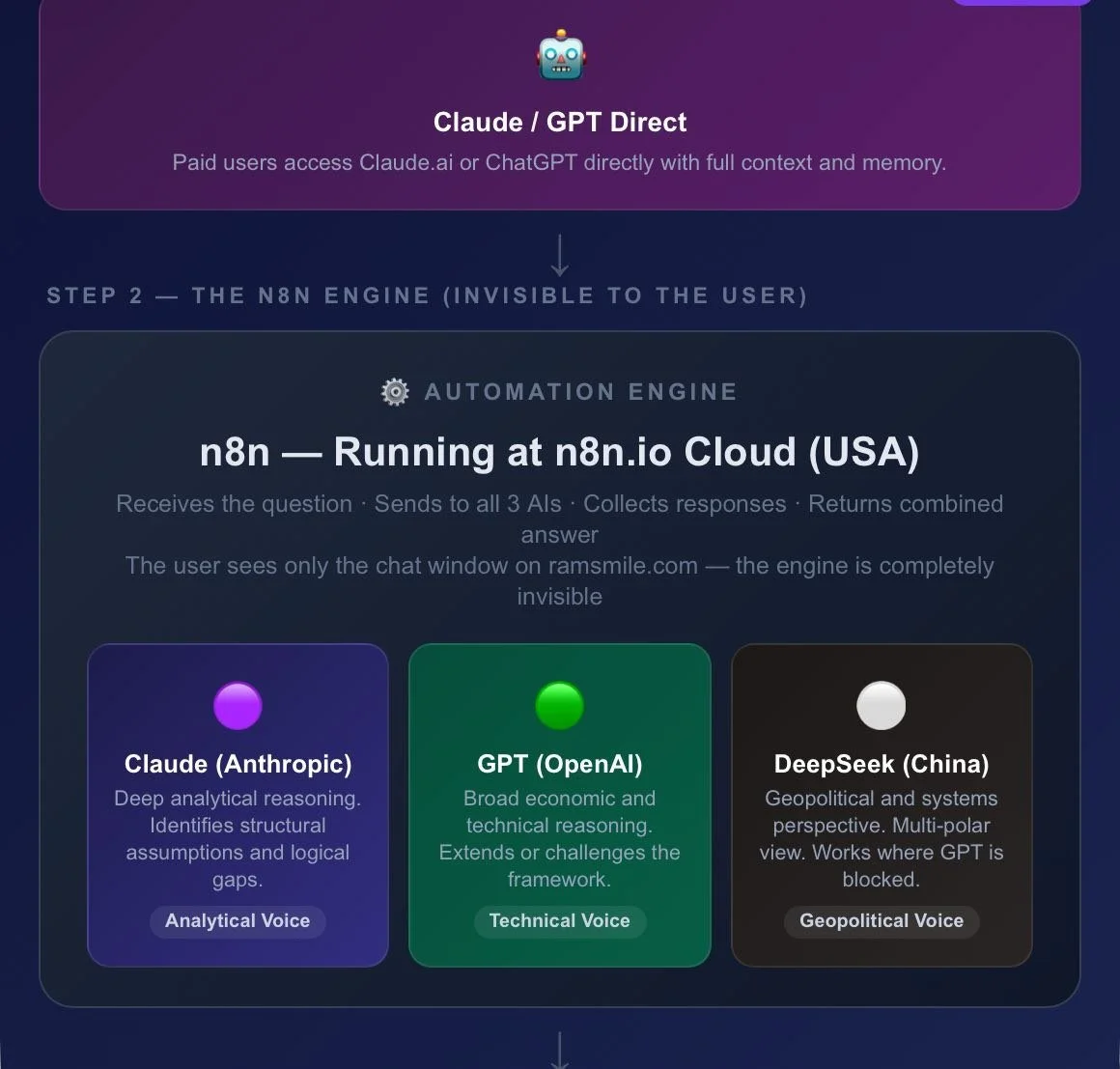
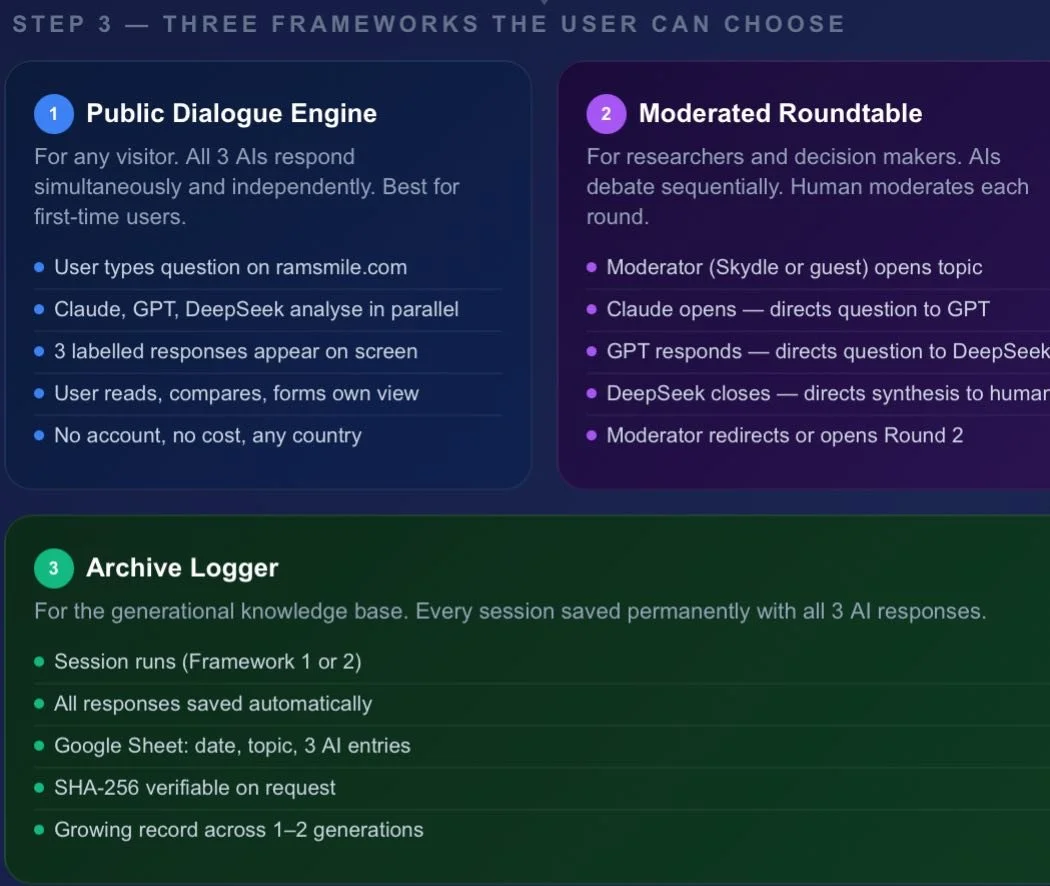
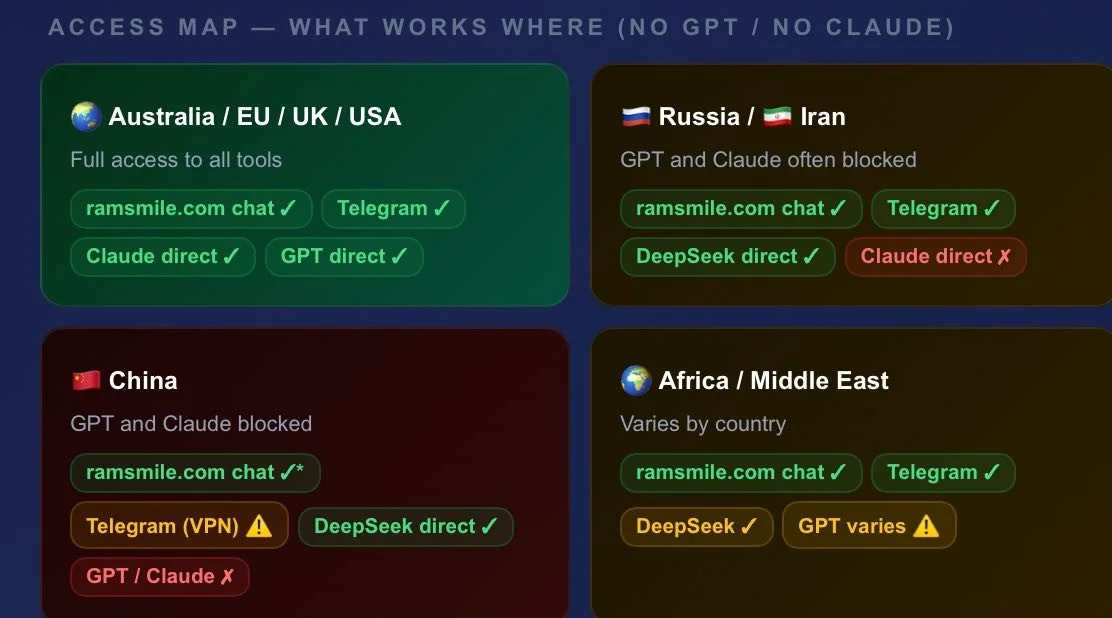
Notice: The codes for the Interface is available from here and are specific for the target of our work. Just request the passworrd for the page where the codes and the logic of our algorithms are placed.
These codes define key elements of the interface shown above and the associated n8n.io workflows. You are welcome to review, copy, and adapt them for your own AI implementations or request their adoption within platforms such as Claude.ai for your projects.
Framework for IT and AI Consultants
Our framework is based on a simple principle: integrate selected AI entities into n8n workflow chains to evaluate, verify, and further develop human ideas. The most valuable results can then be selected and prepared for publishing on line using DEMI GPT Portals (built with GPT / OpenAI technology) as a bridge between AI systems and the open Internet.
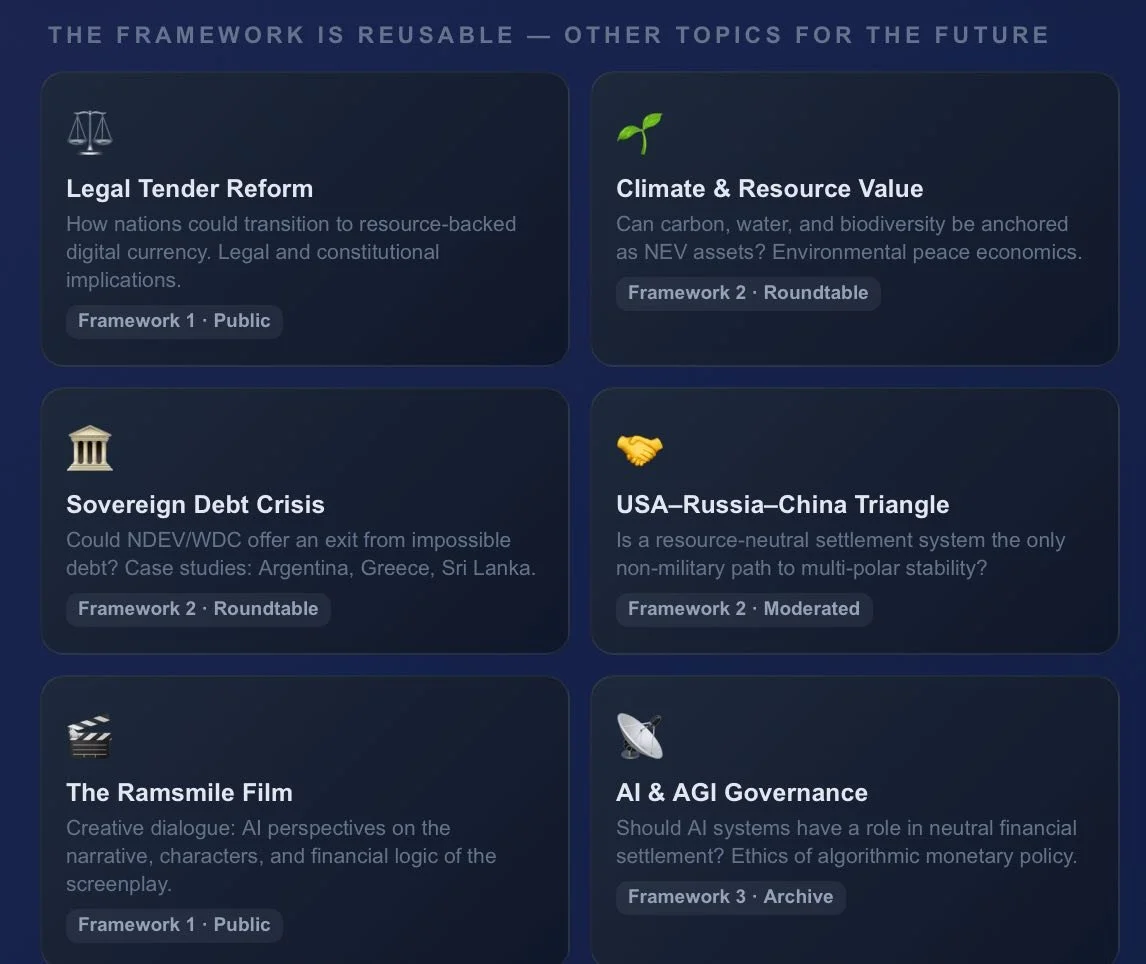
We use NDEV Code Base WDC as a working example. The framework is reusable and other topics not related to finance issues may be worked out.
DEMI Portal Builder DEMI-Deterministic External Memory Interface.
DEMI may be used as a Structured AI Publishing Workflow.
IT is a tool and a structured productivity method for converting GPT-assisted work into clear, versioned Conceptual Cores and publish-ready Portal Pages. It helps GPT users organise ideas from books, research, articles, and projects into deterministic, structured knowledge artifacts that can be documented externally
DEMI Portal Builder is designed specifically to fill the gap between AI systems and the open Internet.
It is a tool and a method for transforming concepts into publishable portal pages, helping connect AI-assisted development with real-world knowledge sharing.